


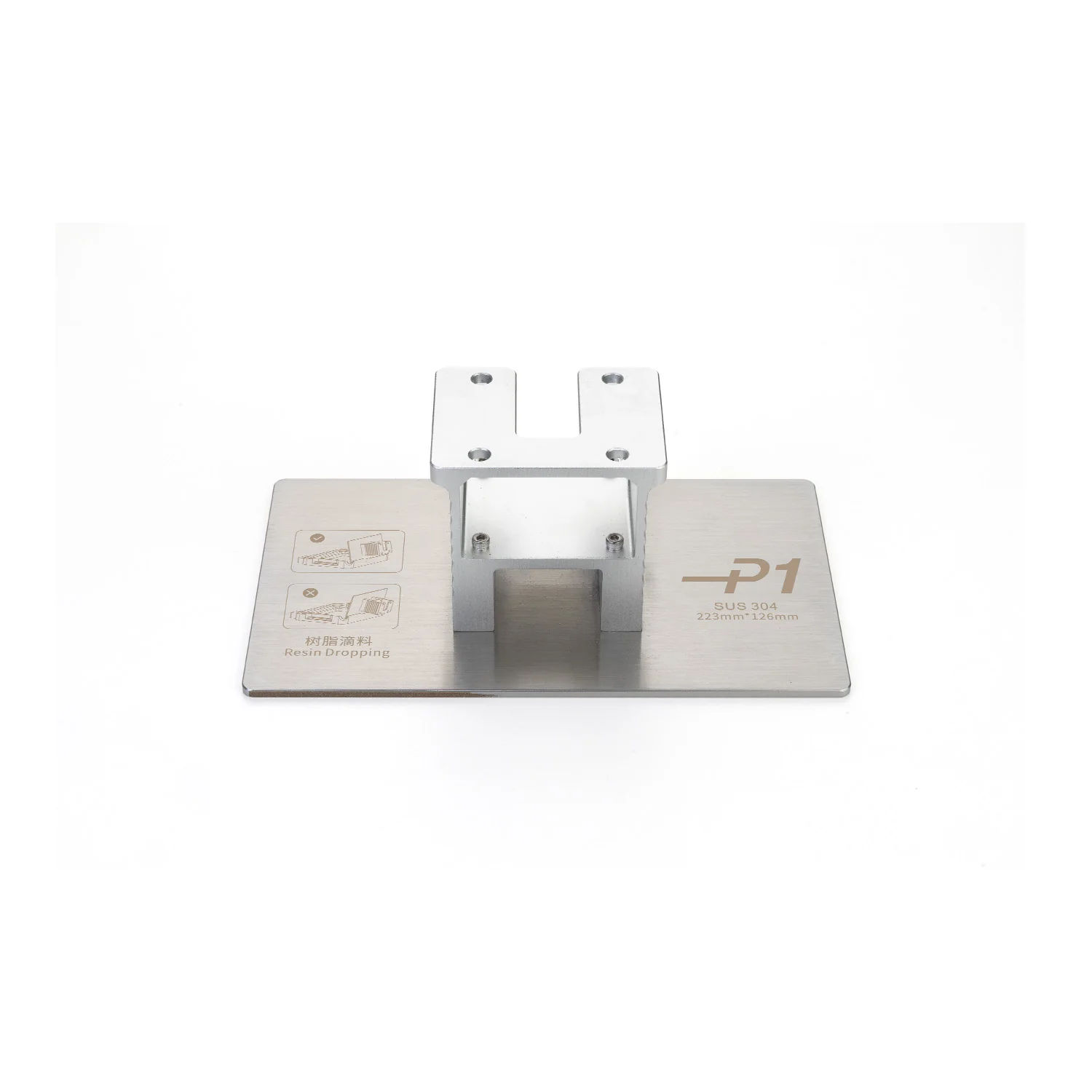
Precision-Ground Steel Build Plate for Anycubic Photon P1
Anycubic Photon P1 Precision-Ground Steel Plate is an original precision-ground steel build platform for the Anycubic Photon P1 resin 3D printer. It is designed to replace the standard build plate, restore reliable first-layer adhesion and support continuous production workflows.
The plate is manufactured from steel and provides high rigidity, deformation resistance and a precisely machined working surface. The Photon P1 build plate has a stated flatness tolerance of less than 80 μm, helping create an even first layer across the available build area.
Main Advantages
- officially compatible with the Anycubic Photon P1;
- precision-ground working surface;
- rigid steel construction;
- flatness tolerance below 80 μm;
- stable first-layer adhesion;
- resistance to deformation during regular operation;
- suitable for replacing a worn or damaged build plate;
- can be used as an additional plate for continuous printing;
- suitable for standard and high-viscosity photopolymer resins.
Technical Specifications
| Specification | Value |
|---|---|
| Manufacturer | Anycubic |
| Product Name | Photon P1 Precision-Ground Steel Plate |
| Product Type | Build plate for a resin 3D printer |
| Plate Type | Precision-ground steel build plate |
| Material | Steel |
| Color | Silver |
| Flatness Tolerance | Less than 80 μm |
| Weight | 1619 g |
| Package Dimensions | 286 × 181 × 125 mm |
| Compatibility | Anycubic Photon P1 |
Build Plate Description
The build platform is one of the main working components of a resin 3D printer. The first layers of every model are cured directly onto its surface, so the flatness, rigidity and condition of the plate directly affect printing reliability.
The Precision-Ground Steel Plate for the Anycubic Photon P1 has a precisely machined surface. The ground finish supports even first-layer contact and helps reduce the risk of partial model separation during printing.
The steel construction provides high rigidity and deformation resistance. This is especially important when printing large models, heavy parts, objects with a wide first-layer area and projects with long printing times.
Recommended Applications
- replacement of a damaged Photon P1 build plate;
- restoration of stable first-layer adhesion;
- printing large and heavy models;
- working with high-viscosity photopolymer resins;
- production of functional parts and prototypes;
- batch production of multiple models;
- use as a spare or additional build platform;
- reducing downtime between consecutive print jobs.
Benefits of an Additional Build Plate
A second build plate makes the printing workflow more efficient. After a print is completed, the platform can be removed with the finished models, another plate can be installed and the next job can be started without waiting for all previous parts to be removed and cleaned.
This is particularly useful for workshops, service centers, small production facilities and users who regularly complete multiple print jobs in succession.
When the Build Plate Should Be Replaced
Build plate replacement may be required in the following situations:
- the working surface has deep scratches or mechanical damage;
- the plate has been deformed after an impact or fall;
- models adhere unevenly in different areas of the platform;
- the first layer partially separates despite correct exposure settings;
- significant surface irregularities have developed;
- threaded connections or mounting components have been damaged;
- an additional platform is required for continuous production.
Compatibility
This build plate is designed specifically for the Anycubic Photon P1 resin 3D printer.
It is not a universal platform. Do not install it on the Photon P1 Max, Photon Mono M7, Photon Mono M7 Pro, Photon Mono M7 Max or another Anycubic Photon model unless compatibility is explicitly confirmed by the manufacturer.
Installation Recommendations
- Complete the current print and turn off the 3D printer.
- Raise the platform to a convenient removal position.
- Wear protective gloves if uncured resin remains on the old plate.
- Carefully remove the installed build platform.
- Clean the mounting area and attachment components.
- Install the new build plate and secure it correctly.
- Verify that the platform is positioned properly.
- Run the leveling check provided by the printer.
- Complete a test print before starting a large or long-duration model.
Operating Recommendations
- make sure the working surface is clean and dry before printing;
- do not leave cured resin residue on the build plate;
- do not apply excessive force when removing models;
- keep the removal tool at a low angle to the surface;
- do not strike the platform with metal objects;
- do not sand the working surface unless necessary;
- fully remove cleaning liquid and moisture after cleaning;
- periodically inspect the plate for damage or deformation.
Cleaning and Care
After printing, remove uncured resin residue using a suitable cleaning agent according to the instructions for the selected material. Wipe the working surface with a lint-free cloth and allow it to dry completely before the next print.
Avoid damaged metal scrapers, abrasive wheels and aggressive tools that could alter the geometry of the precision-ground surface.
Frequently Asked Questions
Which printer is this build plate designed for?
This build plate is designed for the Anycubic Photon P1 resin 3D printer.
Is it compatible with the Anycubic Photon P1 Max?
No. The Photon P1 and Photon P1 Max use build plates with different dimensions and weights. A separate compatible version must be selected for the Photon P1 Max.
What is the difference between the ground and perforated plates?
The Precision-Ground Steel Plate has a solid precision-ground working surface. The perforated version contains openings that can provide additional mechanical retention for the first layers. The appropriate option depends on the resin, model size and project requirements.
Is leveling required after installation?
After replacing the build plate, check its position and run the leveling verification procedure provided by the Photon P1 before the first print.
Can the plate be used with high-viscosity resin?
Yes. The Anycubic Photon P1 is designed to work with high-viscosity photopolymer materials. Correct exposure and release settings must be selected for the resin being used.
Can it be used as a spare build plate?
Yes. An additional platform is useful for consecutive and batch printing because it allows the next job to be started sooner.
Why Buy the Photon P1 Precision-Ground Steel Plate
The original precision-ground steel build platform helps maintain accuracy, stable first-layer adhesion and reliable operation of the Anycubic Photon P1. It is suitable both as a replacement for a damaged component and as an additional platform for intensive or batch printing.